
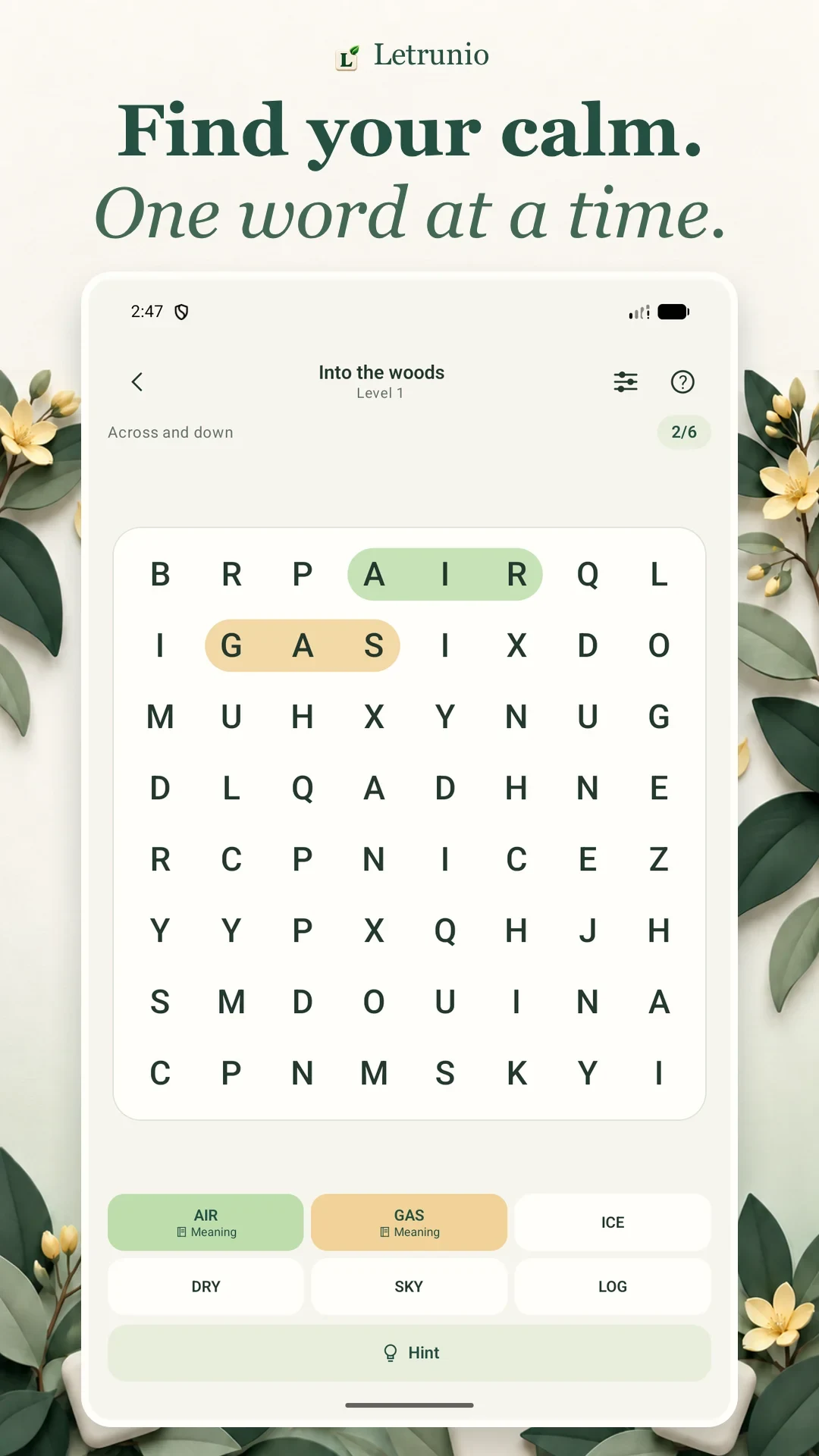
To play a word search, find the words from a list inside a grid of letters. Select each word from its first letter to its last, following one straight line. When you have found every target word, the puzzle is complete.
In Letrunio, you can also open a found word’s definition and save it to a personal collection. This guide covers the basic rules and your first puzzle on Android, iPhone, or iPad.
What makes a word search different?
You do not fill in blank squares, solve clues, or rearrange a set of letters to make new words. The answers are already hidden in the grid. Your task is to spot their positions and directions. Two words may share a letter, so a highlighted square can still be part of a word you have not found yet.
Play your first puzzle in five steps
- Open a puzzle. In Letrunio, try a daily puzzle or choose a themed category. Start with an easier board while you learn how selection works.
- Read the word list. Choose one target instead of trying to remember the whole list at once.
- Look for the first two letters. When you spot the first letter, check nearby squares for the second. If they do not match, move to another starting point.
- Select the whole word. Drag from the first letter to the last and release. Letrunio also lets you tap the first and last letters in sequence.
- Find the remaining targets. A correct selection is marked on the board and in the word list. Find the final target to reach the results screen.
Understand horizontal, vertical, and diagonal words
A horizontal word stays in the same row. A vertical word stays in the same column. A diagonal word moves one square across and one square up or down for every letter. The direction stays the same from start to finish; a word cannot turn a corner halfway through.
For example, C · A · T in one row forms a three-letter horizontal word. Select C through T, without including the next square. This is an illustration of the rule, rather than a solution to a particular Letrunio level.
Some word search puzzles also hide words backwards. In Letrunio, the allowed directions depend on the puzzle’s difficulty. Easier boards use forward horizontal and vertical words; other levels can introduce diagonals and reverse directions. Read the direction label above the board before you start searching.
Why was my selection not accepted?
Check that the word is one of the listed targets. Then check every letter, the starting square, and the ending square. Dragging one square beyond the last letter includes an extra character. Try again from the correct start and stop on the final letter.
Also check that your selection follows a single straight line. A sequence may look like a familiar word when you follow a turning path, but that is not a valid word search selection. An unlisted word is not a target for that puzzle either.
Do more with a word you have found
In Letrunio, tap a found word’s card to read its definition. You can save a word you want to revisit to your collection. The results screen also lets you open meanings and save words after finishing the puzzle, so you can leave the reading until the end if you prefer.
Can I play offline without an account?
You can play puzzles and read definitions already stored on your device without an internet connection. Downloading new content, cloud syncing, and adverts need internet access. You can begin as a guest; creating an account is optional.
Try your first word search
Explore Letrunio’s gameplay and features. Get it on Google Play for Android or the App Store for iPhone and iPad. Pick one word, find its first two letters, and follow the line to its final letter.
Choose your next guide
- Word Search Tips: Find Hidden Words with a Clear Strategy
- Word Search with Definitions: Letrunio’s Word Collection
Read this guide in Turkish: Kelime Arama Oyunu Nasıl Oynanır? Letrunio Rehberi.